

Warehouse Security Systems in Houston: Preventing Inventory Theft
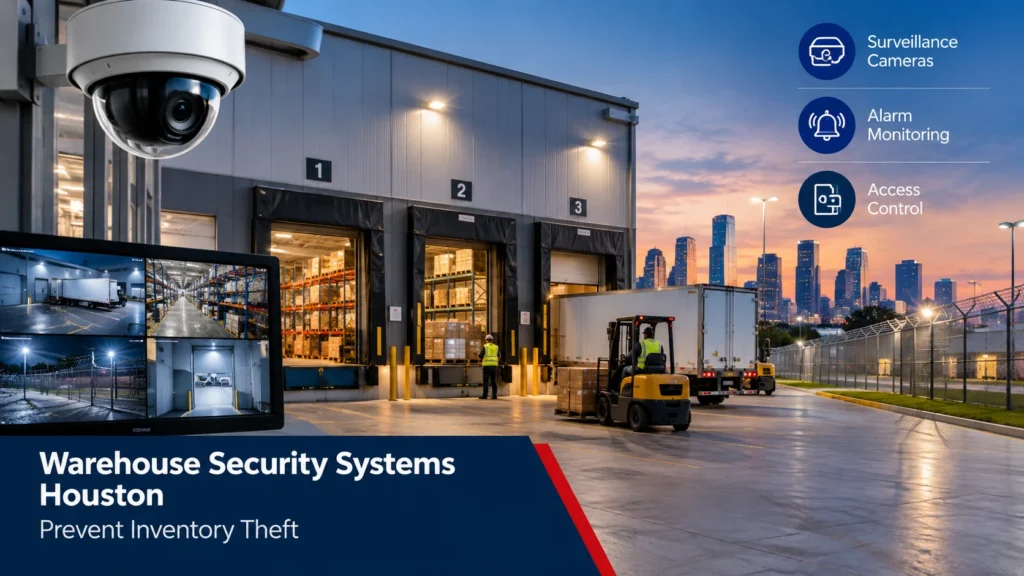
Ask a warehouse manager in Houston what worries them most, and dock security rarely comes up first — until something goes missing and nobody can say exactly when. Warehouse security systems in Houston have to solve a different problem than the ones built for a storefront or an office: massive floor plans, multiple dock doors running at once, rotating shift crews, and freight valuable enough that organized theft rings plan routes around it. Texas ranked among the top states for reported cargo theft in 2025, with Houston specifically named as a metro area seeing renewed criminal activity along major freight corridors, and warehouses and distribution centers were the single most targeted type of facility nationwide that year. For operators here, that’s not a background statistic — it’s the reason a generic alarm panel usually isn’t enough. Warehouse security systems Houston businesses use need to address more than basic intrusion detection, especially when a facility handles high-value inventory and operates around the clock.
Why Houston Warehouses Need a Different Approach to Security
A 3,000-square-foot retail store and a 150,000-square-foot distribution center don’t share the same risk profile, even if they’re both protected by “a security system.” Warehouses have more exterior doors, more blind corners created by racking, third-shift staff nobody else sees, and delivery drivers who come and go all day without much oversight. Add Houston’s port-adjacent freight corridors into the mix, and you’ve got a facility type that criminals actively study — not just one they stumble onto.
Warehouse Surveillance Cameras: Coverage That Actually Works
The most common mistake we see is a warehouse with cameras pointed at the front office and nowhere else. That covers maybe 10% of the building. Warehouse surveillance cameras need to follow the flow of product — from the moment a trailer backs into a dock door to the moment goods leave the shipping desk — not just the entrance visitors use.
| Zone | Camera Type | What It Catches |
| Dock doors (interior & exterior) | Wide-angle fixed, license plate capture | Trailer swaps, staged pallets, extended dwell time |
| Loading yard / perimeter | PTZ or thermal | After-hours breaches, trespassing, unfamiliar vehicles |
| Racking aisles | Fixed dome, high-mounted | Internal shrinkage, mis-picks, product tampering |
| Shipping / receiving desk | Fixed, desk-level | Paperwork mismatches, short shipments |
| Employee entrance | Fixed, face-height | Time theft, tailgating, unauthorized entry |
| Exterior fencing / gates | Motion-activated | Cut-fence attempts, vehicle staging |
Loading Docks and Entry Points: Where Most Incidents Start
If you trace most warehouse theft back to its source, it starts at a dock door — not a broken window. A door propped open during unloading creates a blind spot right behind the trailer, and a driver working alone with that door open for twenty minutes is an opportunity, not an accident waiting to happen. Shift changes make this worse: for a few minutes, nobody’s quite sure who’s supposed to be watching a given door, and that gap is exactly when staged theft tends to occur.
Inventory Theft Prevention: It’s Not Always an Outside Job
It’s tempting to picture warehouse theft as someone cutting a fence at 2 a.m. In practice, a meaningful share of it involves people who already have legitimate access — employees, contractors, or drivers who understand the schedule well enough to know when oversight is thinnest. Inventory theft prevention has to account for both threats at once, which is why cameras alone rarely solve the problem on their own.
| Theft Method | Prevention Tactic |
| Dock door propped open during a shift | Door-open alarms tied to central monitoring |
| Under-reported pallet counts on paperwork | Camera coverage at the shipping desk plus inventory reconciliation |
| Employee “walk-off” during shift change | Time-stamped access logs paired with camera footage |
| Theft during unattended loading | Two-person load verification and dock camera review |
| Unauthorized vendor or contractor access | Visitor badges and escorted entry to high-value zones |
Industrial Alarm Monitoring for Large-Footprint Facilities
A residential-style alarm panel with two or three zones isn’t built for a building this size. Industrial alarm monitoring for warehouses typically breaks the facility into multiple zones — office, warehouse floor, high-value cage, exterior doors — so a triggered alert tells the monitoring center exactly where the activity is happening, not just that “an alarm went off somewhere.” Glass-break sensors on dock-level windows, door contacts on every exterior opening, and motion coverage across open floor space all feed into that same zoned system, with 24/7 monitoring escalating based on which zone tripped and how.
Perimeter Security and After-Hours Breach Detection
Most warehouse incidents that don’t involve an employee happen after hours, along the perimeter, in the stretch of yard between the building and the fence line. Fencing and gated yard access slow intruders down; motion-activated exterior lighting and thermal cameras are what actually catch them doing it. Thermal coverage matters specifically in yard areas where lighting is inconsistent — a standard camera struggles in near-total darkness, but a thermal or IR-capable unit doesn’t need the light to begin with.
Access Control: Managing Employees, Contractors, and Delivery Drivers
Not everyone who enters a warehouse needs access to the same areas. A driver dropping off freight doesn’t need a credential that opens the office suite, and an office employee doesn’t need free access to a high-value cage holding electronics or pharmaceuticals. Credential-based access control — key fobs, mobile credentials, or PIN codes tied to individual users — lets a facility segment those zones and keep a record of who went where and when. It also solves a problem that’s specific to warehouses: staff turnover tends to run higher here than in most industries, and revoking one credential from a dashboard is a lot faster and safer than rekeying an entire building every time someone leaves.
Common Warehouse Security Vulnerabilities We See in Houston
A handful of the same gaps show up again and again during site assessments, regardless of the industry a warehouse serves.
| Vulnerability | Why It’s a Problem | Fix |
| Cameras only at the front office | Leaves most of the facility unmonitored | Distribute coverage across docks, yard, and aisles |
| No alarm on secondary or emergency exits | Rear doors become an unmonitored way in or out | Door contacts and alarm zones on every exterior door |
| Shared generic access codes | No way to trace who entered or when | Individual credentials instead of one shared PIN |
| Poor exterior lighting | Cameras and motion sensors underperform after dark | Motion-activated lighting paired with camera coverage |
| Cameras, alarms, and access control on separate systems | Alerts get missed because they live in different apps | One unified monitoring platform for all three |
How to Choose the Right Warehouse Security System in Houston
Start with a real site assessment, not a generic package. Square footage, number of dock doors, shift patterns, and the value of what’s stored all change what the system actually needs to include. Beyond that, a few questions are worth asking any provider directly: can cameras, alarms, and access control run through one platform instead of three logins? Is the monitoring center UL-listed, and what’s the guaranteed response time for a confirmed alarm? Can the system scale if the facility adds a second building or extends operating hours? And, given how often Houston loses power during storm season, does the system have battery and cellular backup that keeps it running when the grid doesn’t?
Why Integration Beats Standalone Systems
A forced door, a triggered motion sensor, and a camera clip mean a lot more together than they do separately. When cameras, alarm monitoring, and access control run through one integrated platform, a single event — say, a dock door forced open after hours — pulls the relevant camera footage, the access log, and the alarm dispatch into one place automatically. That matters during an actual incident, when someone needs answers fast, and it matters just as much afterward, when reviewing exactly what happened takes minutes instead of hours of digging through three separate systems.
If you’re comparing providers, our commercial security overview covers monitoring tiers built for larger facilities, and our camera placement guide for retail and warehouse spaces goes deeper on mounting heights and blind-spot avoidance. For sites that also need controlled entry between zones, our access control page outlines the credential options available for multi-zone facilities.
Frequently Asked Questions
How many cameras does a typical warehouse actually need?
It depends on square footage and dock count more than anything else. A rough starting point is one camera per dock door plus dedicated perimeter and aisle coverage — a 50,000-square-foot facility often ends up somewhere around 16 to 24 cameras once the yard and interior are both covered.
What’s the difference between warehouse security and retail security systems?
Retail security centers on the storefront, point-of-sale area, and a relatively small footprint. Warehouse security has to account for dock doors, forklift traffic, large open floor plans, and after-hours perimeter risk across a much bigger property.
Do warehouses need fire alarm monitoring in addition to burglar alarms?
In most cases, yes. Facilities storing high-value or flammable inventory, and those above certain square footage thresholds, are often required by local fire code to carry monitored fire alarm coverage alongside burglar alarm monitoring.
Can access control replace physical keys entirely?
For day-to-day entry, mostly yes. Many facilities still keep a physical master key as an emergency backup, but daily access runs through credentials that can be issued or revoked instantly.
How fast should alarm monitoring respond for a warehouse?
A confirmed alarm should trigger central station verification and dispatch within roughly a minute. Zoned systems help here by telling the monitoring center exactly which area of the building triggered the alert.
What’s the most commonly overlooked blind spot in warehouse security?
The strip of yard between the building and the perimeter fence, and the space directly behind a parked trailer at the dock. Camera coverage often stops at the building’s edge, leaving both areas dark.
How much does a warehouse security system cost in Houston?
Costs vary widely based on square footage, dock count, and camera count — a small facility might run a few thousand dollars, while a full multi-zone build-out for a large distribution center can run considerably higher. A site walk is really the only way to get an accurate number.
Can existing cameras be integrated into a new alarm and access control system?
Often, yes, if the cameras are IP-based and reasonably current. Older analog camera systems sometimes need a bridge device, or a phased replacement plan, to work with a newer integrated platform.
The Bottom Line
Warehouse security in Houston isn’t about buying more cameras or a louder alarm — it’s about matching coverage to how the building actually operates: where trailers dock, where shifts change, where inventory sits unattended, and where the perimeter goes dark at night. A system that ties cameras, alarm monitoring, and access control together gives operators a real answer when something does go wrong, instead of three separate logs that don’t quite line up.